

The screen recorder for Chromebook that gives you a link
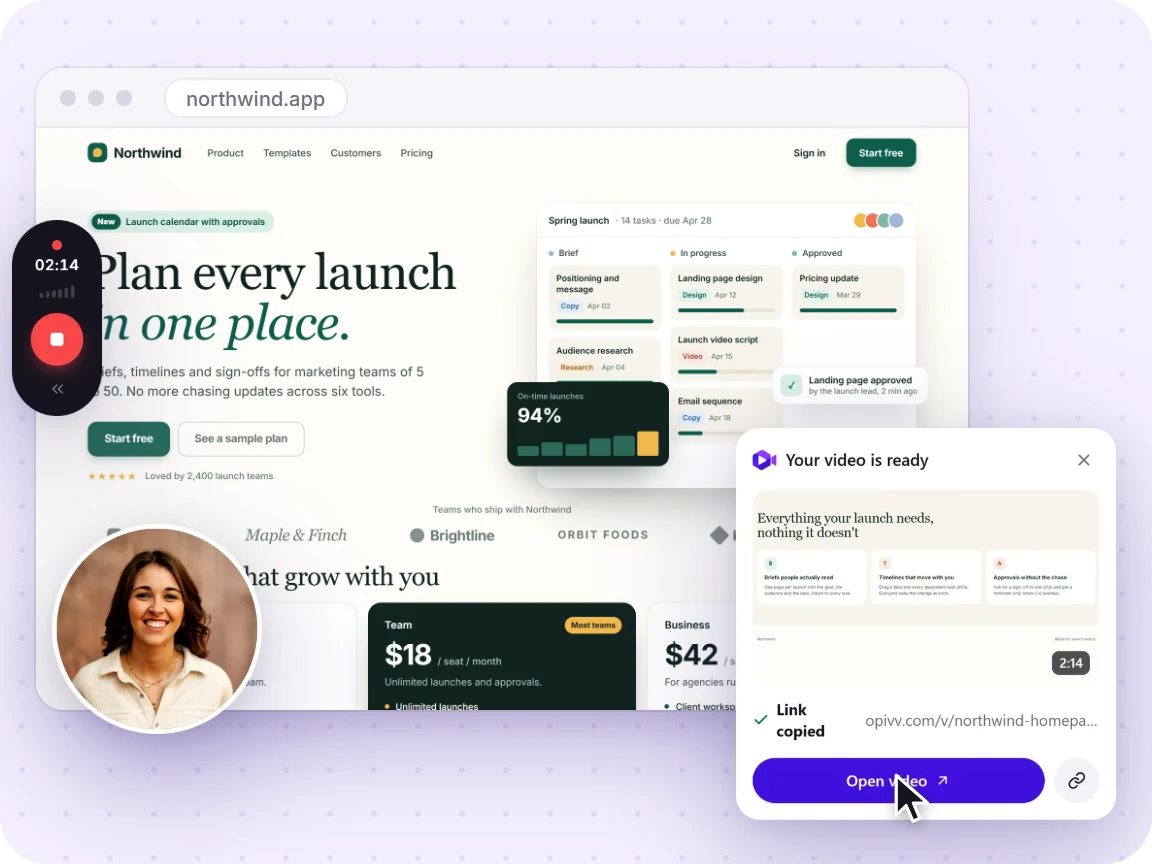
ChromeOS can already record your screen, but it drops a .webm in your Downloads folder. Opivv records your screen, a tab, or your webcam and hands you a watch-in-browser link the moment you stop.
- Free forever
- No credit card
- Works on Chrome, Edge, Brave & other Chromium browsers
How it works
Add Opivv to Chrome
One click from the Chrome Web Store. Pin it so the record button sits in your toolbar.
Pick what to record
This tab, a window, your whole screen or just an area. Turn your camera and mic on or off.
Stop and share
The link is copied the second you stop. Paste it into Slack, email or a ticket.
Free vs Pro at a glance
Your recording is never watermarked into the video. On the free plan, share pages carry a small removable 'Made with Opivv' badge; Pro removes it.
Chromebooks already record. Here is where it stops
ChromeOS has a built-in screen recorder: press Shift + Ctrl + Show windows (or Ctrl + Shift + F5 on an external keyboard), choose Screen record, and pick the full screen, a region, or a window. It works well, and it is free.
The catch is what happens next. It saves a .webm file to your Downloads folder. To get it to anyone you have to upload it to Drive, wait, set permissions, and paste a link, and audio options vary by ChromeOS version and school admin policy. If the recording is meant to be sent, that is the slow part.
See both methods step by step →Why an extension is the natural fit on ChromeOS
Chromebooks cannot install the desktop recorders most guides recommend. Loom’s desktop app, OBS, and Camtasia simply do not run on ChromeOS. That leaves the built-in tool or a browser extension, and an extension is the only one that can upload as you stop and give you a link.
Because Opivv is a Chrome extension, a Chromebook is arguably its most natural home: the browser is the operating system, so the record button lives exactly where you already work.
Frequently asked
Two ways. Built in: press Shift + Ctrl + Show windows, choose Screen record, and pick full screen, a region, or a window; it saves a .webm to Downloads. Or install Opivv, click the icon, choose your source, record, and get a shareable link when you stop.
Start recording in about a minute
Add Opivv to your browser, hit record, and share a link the moment you stop. Free forever for everyday clips.