

The one-click Chrome screen recorder that shares itself
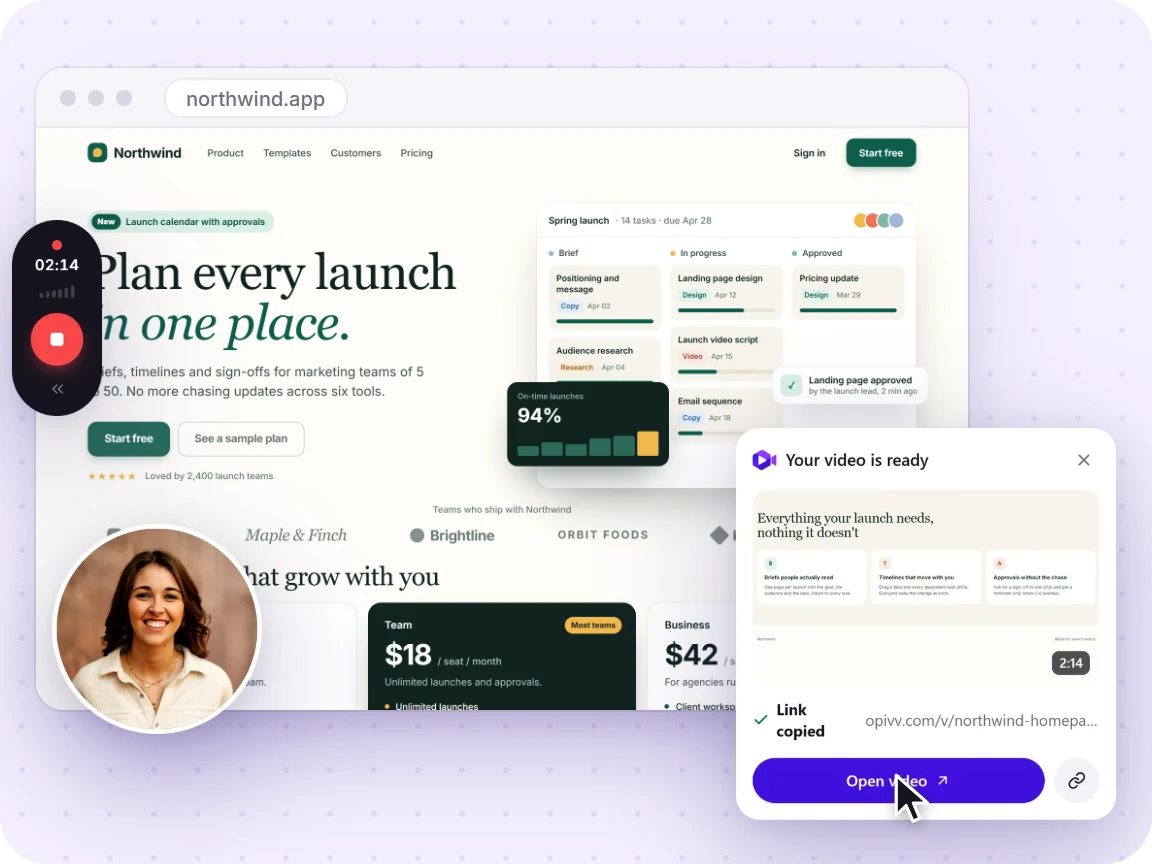
Record a tab, a window, or your whole screen right inside Chrome. Add your webcam and mic, and the moment you stop, a watch-in-browser link lands on your clipboard. Viewers need no account and no app to press play.
- Free forever
- No credit card
- Works on Chrome, Edge, Brave & other Chromium browsers
How it works
Add Opivv to Chrome
One click from the Chrome Web Store. Pin it so the record button sits in your toolbar.
Pick what to record
This tab, a window, your whole screen or just an area. Turn your camera and mic on or off.
Stop and share
The link is copied the second you stop. Paste it into Slack, email or a ticket.
Free vs Pro at a glance
Your recording is never watermarked into the video pixels. Free share pages carry a small, removable "Made with Opivv" badge on the player, which Pro removes. Pro is $5/mo or $48/year.
How recording in Chrome works
Add Opivv to Chrome and pin it, so it sits one click away in your toolbar. Click the icon, choose whether you want a tab, a window, or the whole screen, flip on the camera bubble or mic if you want them, and press record. When you are done, stop the recording and the shareable link is already on your clipboard, ready to paste into Slack, an email, or a doc.
That is the whole loop: record, stop, paste. Nothing exports to your downloads folder and nothing needs uploading by hand.
See the full step-by-step guide →Chrome cannot record a shareable video on its own
People often go looking for a hidden button in the browser. There is not one for this. Chrome does ship a "Recorder" panel inside DevTools, but that tool records the steps of a user flow for developers to replay or automate. It does not produce a video clip you can watch or send to someone.
That gap is exactly what a screen recorder extension fills. It uses the browser capture APIs to grab real video and audio, then handles the hosting and the link so the result is something a teammate or customer can open in one tap.
Frequently asked
Install the Opivv extension, click its toolbar icon, and choose a tab, a window, or your whole screen. Turn on your webcam or microphone if you want them, then press record (or hit Alt+Shift+R). Stop when you are finished and a link to the video is copied to your clipboard automatically.
Record your screen in Chrome in about a minute
Add Opivv to your browser, press record, and share a link the moment you stop. Free forever for everyday clips.