

Launch offer: 50% off Opivv Pro with codeClaim offer
Opivv
Use cases · For sales & founders

Personal demo videos that close deals

A cold paragraph gets skimmed. A 90-second demo recorded for a prospect by name (showing exactly the features they asked about) gets watched, replayed, and forwarded to the rest of the buying committee. And you see who watched.

  • Free Chrome extension
  • No card to start
  • 14 day money-back
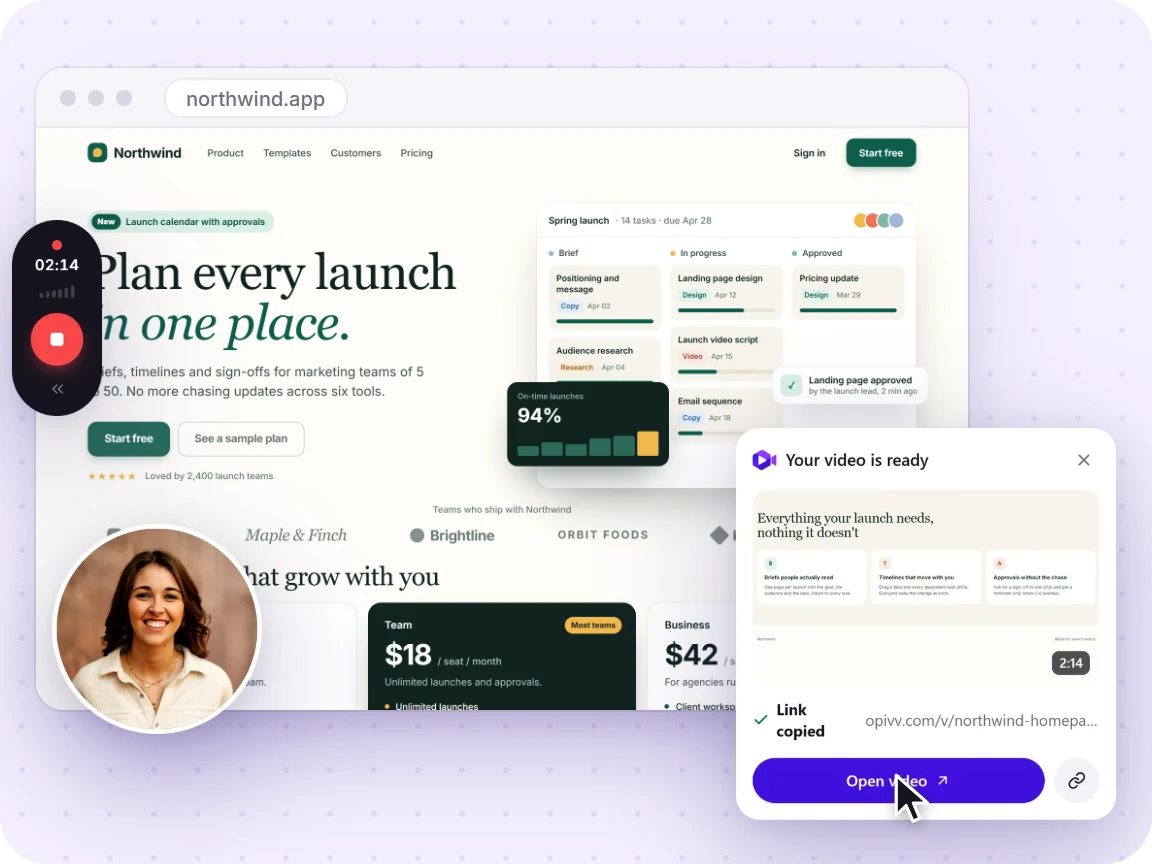
Opivv recording a web page: the recording toolbar, the camera bubble and the card that says the video is ready
Personal, not genericRecord a demo for one prospect by name, showing the features they care about. It stands out in a full inbox.
Scales your outreachA short personal video beats a cold paragraph. Send walkthroughs to many prospects without booking a call each time.
Know who watchedView tracking tells you who opened the demo and re-watched it, so you follow up with the warm ones first.
Shorten the cycleProspects share your video internally with stakeholders, so the buying committee gets the pitch even when you’re not in the room.
End on the next stepFinish every demo with your own button: book a call, start a trial, open the quote. The prospect acts while the pitch is still on screen, instead of hunting for a link in your email.
Capture the forwardAsk for an email before playback and you learn who your champion passed the demo to, so the stakeholders you never met stop being invisible.
Keep the reply on the videoA prospect can comment right on your demo (pinned to the exact second) or answer back with their own screen recording, so questions live on the video instead of a lost email thread.

Why async demos work

Prospects are busy and live demos are hard to schedule. A personal screen recording lets you make your case on their time: you show the product solving their problem, they replay it whenever they want, and they forward it to the people who actually sign off. You get the reach of a mass email with the warmth of a one-to-one call.

How reps use Opivv

  1. Open the prospect’s use case in the product and record a focused walkthrough. Name them in the first line.
  2. Send the link in your outreach or follow-up email; it’s copied the moment you stop.
  3. Watch the views. When someone re-watches, that’s your signal to reach out: strike while it’s warm.

When a prospect has a question, it doesn’t have to bounce back into your inbox. They can leave a timestamped comment on the demo (pinned to the exact moment they’re curious about) or reply with their own screen recording. The back-and-forth stays on the video where the context is, and you answer with another quick clip instead of a wall of text.

New to recording? See how to record your screen in Chrome, or add a personal facecam with screen + camera & mic.

Frequently asked

Can I see who watched my demo video?

Yes. Every shared clip tracks views, so you can tell which prospects opened the demo and which re-watched it, and prioritize your follow-ups accordingly.

How do I personalize a demo at scale?

Record the screen showing the prospect’s use case, mention them by name in the intro, and send the link. It feels one-to-one but takes a couple of minutes. No live call to schedule.

Can I use a custom branded link?

On Pro you can set a custom URL slug and password-protect or expire links, so outbound demos look polished and stay controlled.

Try it free, no card, no setup

Add Opivv to Chrome and record your first clip in under a minute.