

Video feedback, on the exact second
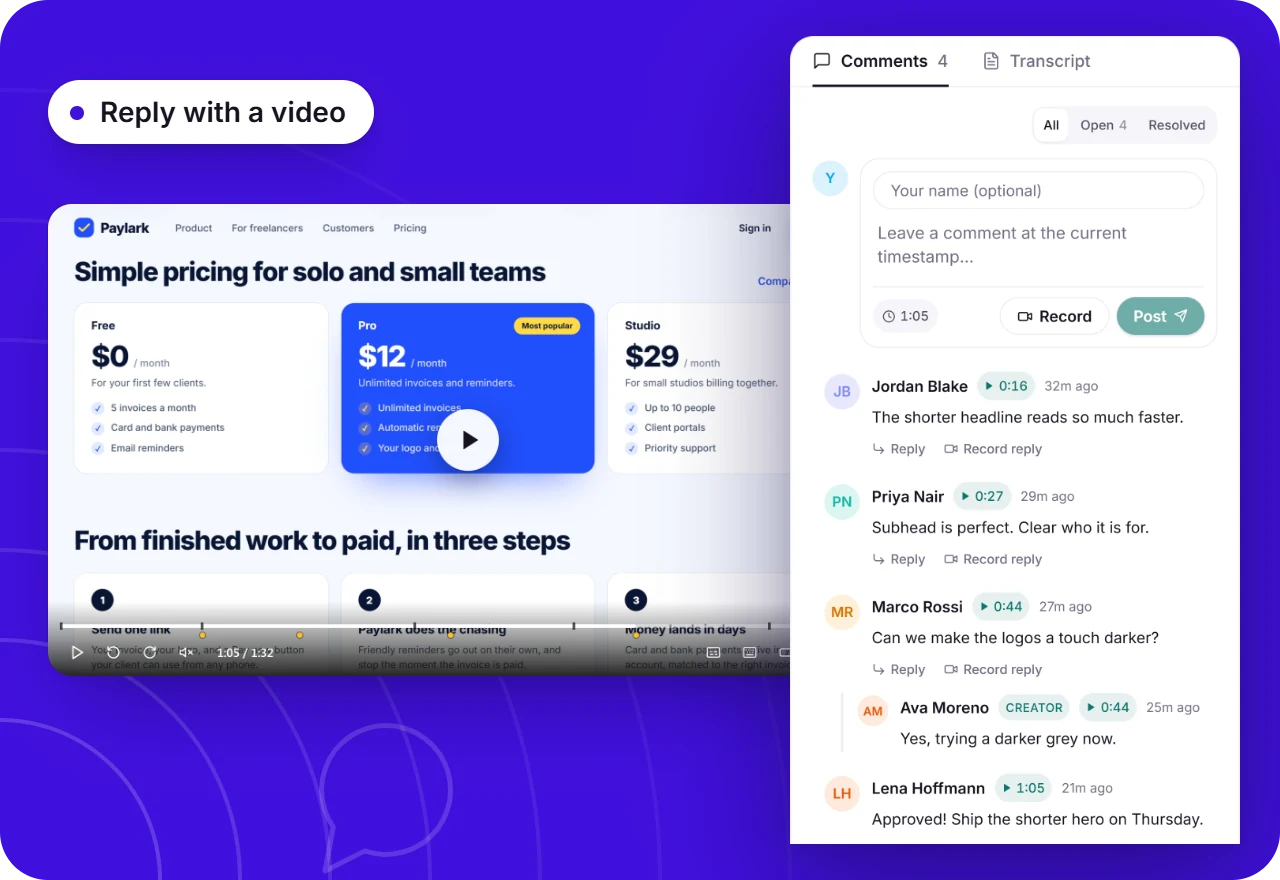
Walk through a design, a website or a pull request on video, send one link, and get comments pinned to the moment they are about. No more numbered lists of notes that nobody can match to the screen.
- Free forever
- No credit card
- Works on Chrome, Edge, Brave & other Chromium browsers
How it works
Add Opivv to Chrome
One click from the Chrome Web Store. Pin it so the record button sits in your toolbar.
Pick what to record
This tab, a window, your whole screen or just an area. Turn your camera and mic on or off.
Stop and share
The link is copied the second you stop. Paste it into Slack, email or a ticket.
Fewer rounds, and proof it was seen
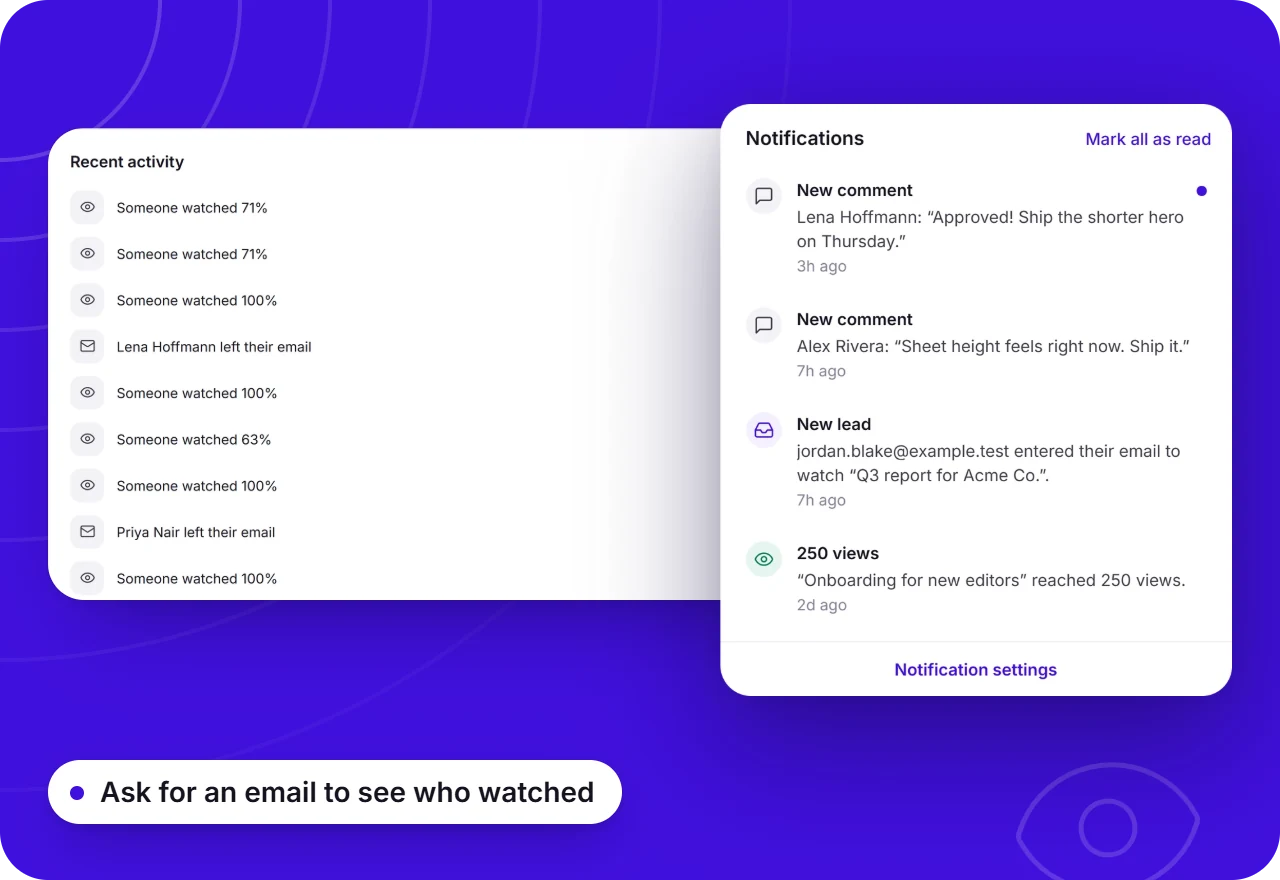
Know the review was actually watched
See how many times the review was opened and how far it was watched, and get an email the moment a comment or reaction comes in. You know it was seen before you chase anyone.
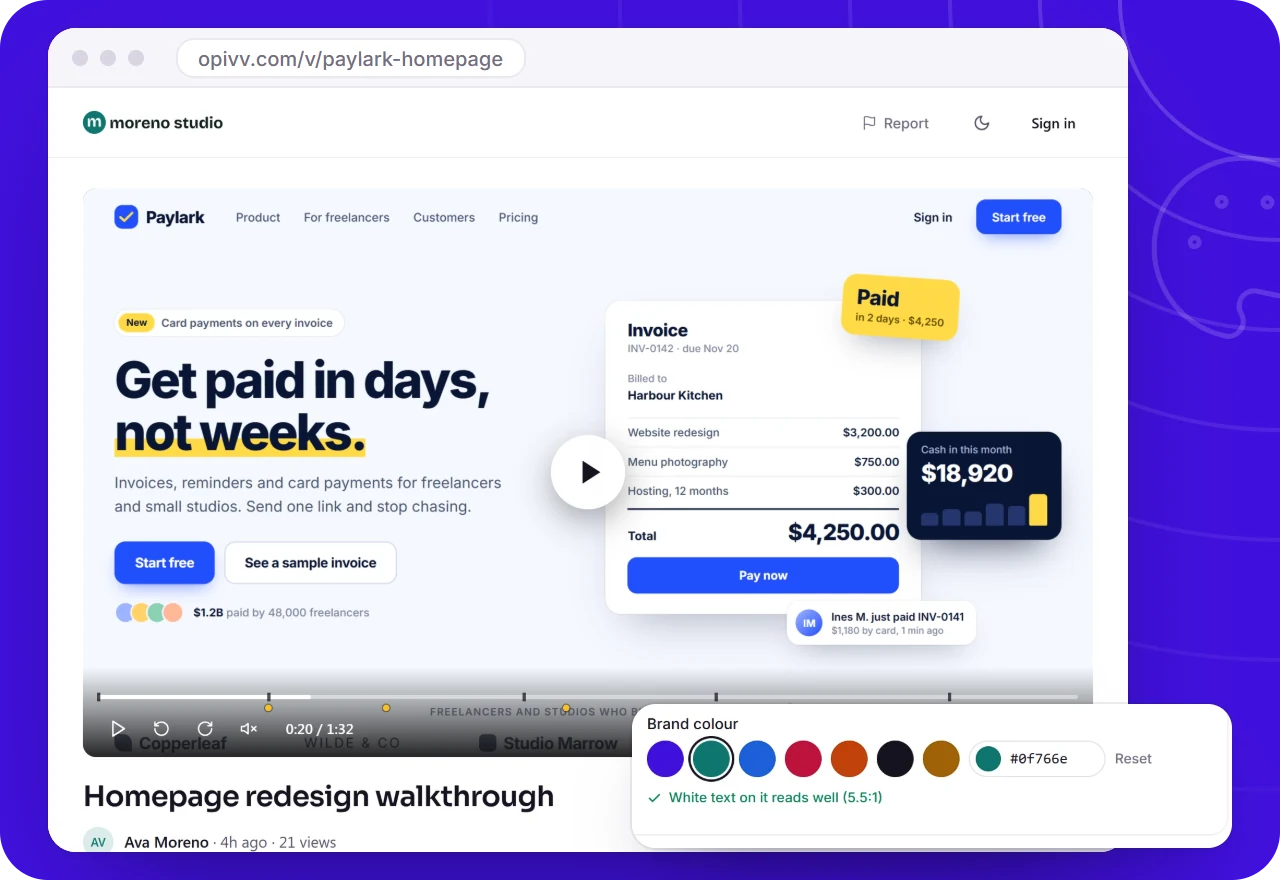
Your brand on every review link
On Pro, share pages carry your logo and colour instead of ours. On Team, give each client a folder of their own that never takes a paid seat.
- Your logo and accent colour
- A folder per client on Team
- No badge on Pro share pages
Video feedback: free vs Pro
Team ($12 a seat a month) adds client folders and a shared workspace. Videos are never watermarked; free share pages carry a small badge, which Pro removes.
Why video feedback beats a list of notes
Written feedback loses the two things that matter most: where exactly the reviewer means, and how strongly they feel about it. "The header feels off" could be the spacing, the colour or the copy. Pointing at it on screen while saying why removes the guesswork.
It also cuts the number of rounds. When every comment is pinned to a moment, the person doing the work can go through them in order, reply where something is unclear and resolve the rest, instead of booking a call to decode an email.
How to run a review round with video
Record a short walkthrough of the work with Opivv: what it is, what changed since last time, and the two or three decisions you want an opinion on. Ask specific questions; "thoughts?" gets vague answers.
Send the link with a deadline. Reviewers watch, pause and comment on the exact second. When the comments are in, work through them, resolve each thread as you go, and record a one-minute reply video that shows the changes. That reply closes the loop better than "done, see attached".
How agencies use Opivv with clients →Frequently asked
It is a tool for giving and collecting feedback on video. The person sharing the work records a walkthrough, and reviewers leave comments tied to specific moments in it, instead of writing notes in a separate email or document.
Send your next review as a video
Add Opivv to your browser, hit record, and share a link the moment you stop. Free forever for everyday clips.
Free forever plan, no card. Make your account now and record on your computer.